How to make your first swap
In this guide, we’ll walk you through the process of making your first atomic swap using eigenwallet. The process is quite intuitive and happens fully automatically. Nevertheless, there are some nuances to be aware of, so we’ll cover everything you need to know to get started.
Prerequisites
To complete an atomic swap, you’ll need to have the following:
- eigenwallet installed on your computer (installation instructions).
- Some Bitcoin funds which will be swapped for Monero. Usually at least
0.0003BTC (around $30).
Performing the swap
Check out the offers
On the ‘Swap’ page, click on the ‘Click to view offers’ button.
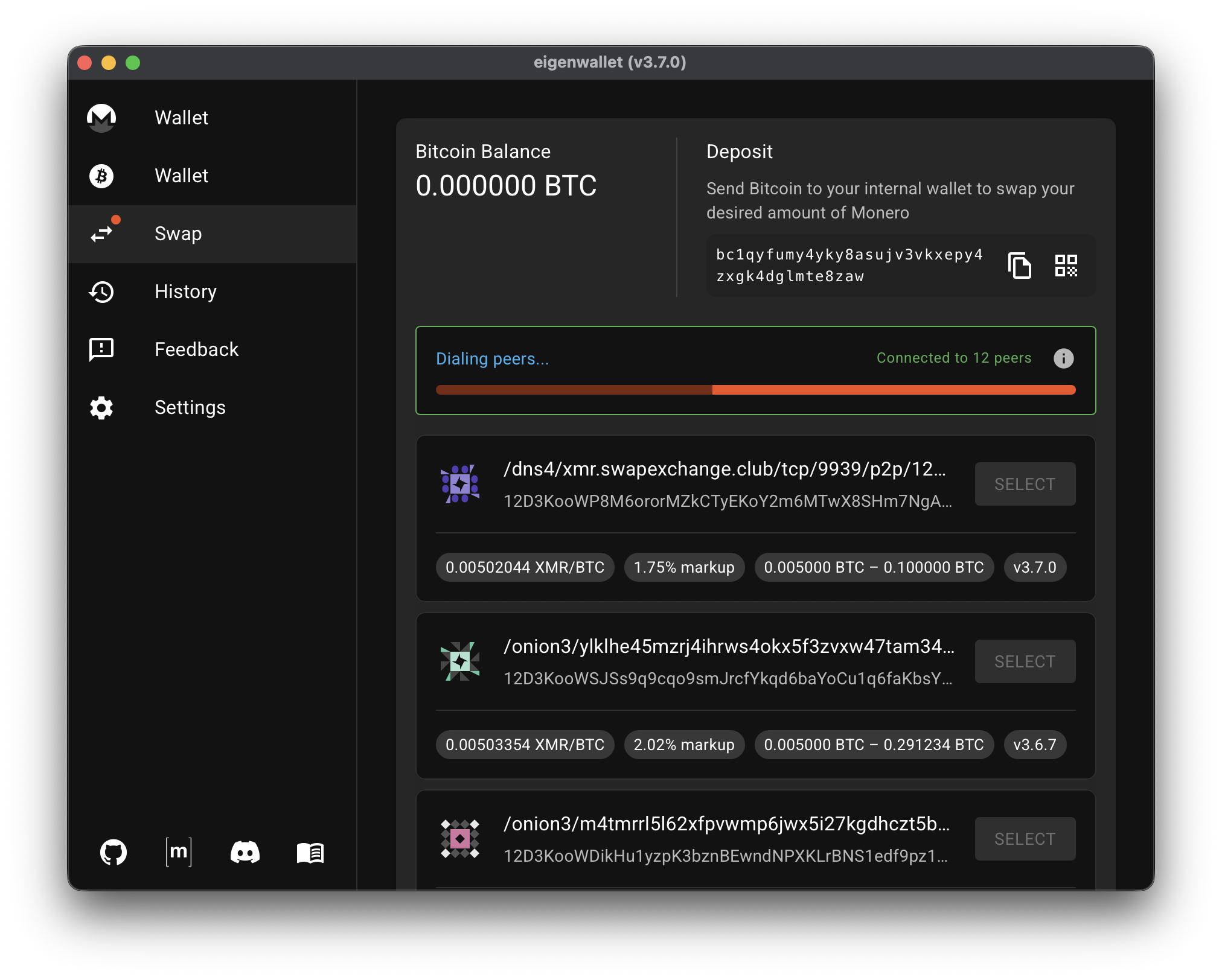
You can see a list of offers and your current Bitcoin balance. Each offer is from a different “market maker”. The offers differ in terms of:
- minimum and maximum swap amount
- exchange rate / markup
- anti-spam deposit
A maker charging a 3% markup means their exchange rate (BTC/XMR) is 3% above the exchange rate on centralized exchanges. This is the fee the maker charges for their service. A lower markup is better. It means you’ll get more Monero for your Bitcoin.
An anti-spam deposit of 2% means you are guaranteed a 98% refund. On the rare occasion that the maker thinks you are spamming them, they may withhold it. Usually they do not, and you get a full refund.
Hover over Bitcoin amounts to see the value in USD.
If you can’t see the USD amounts or the markup, go to the settings and enable ‘Query fiat prices’. You can also change the fiat currency.
Deposit your Bitcoin
You can skip this step if you already have some Bitcoin in eigenwallet.
Send the Bitcoin funds you want to swap to eigenwallet’s internal Bitcoin wallet. The wallet is self-custody: noone but you has the seedphrase.
The deposit address is displayed at the top of the page. Alternatively, click the button to the right in order to display a QR code.
The exchange rate is usually better for higher amounts, starting from around 0.003 BTC or $300.
The app will swap all available Bitcoin, so only deposit as much as you want to swap.
Choose an offer
Now that you have enough Bitcoin you can select from the available offers. Click ‘Select’ on the offer that best suits your needs.
Grayed out offers require more Bitcoin than you currently have deposited. You need to deposit more Bitcoin in order to select them.
Confirm the swap
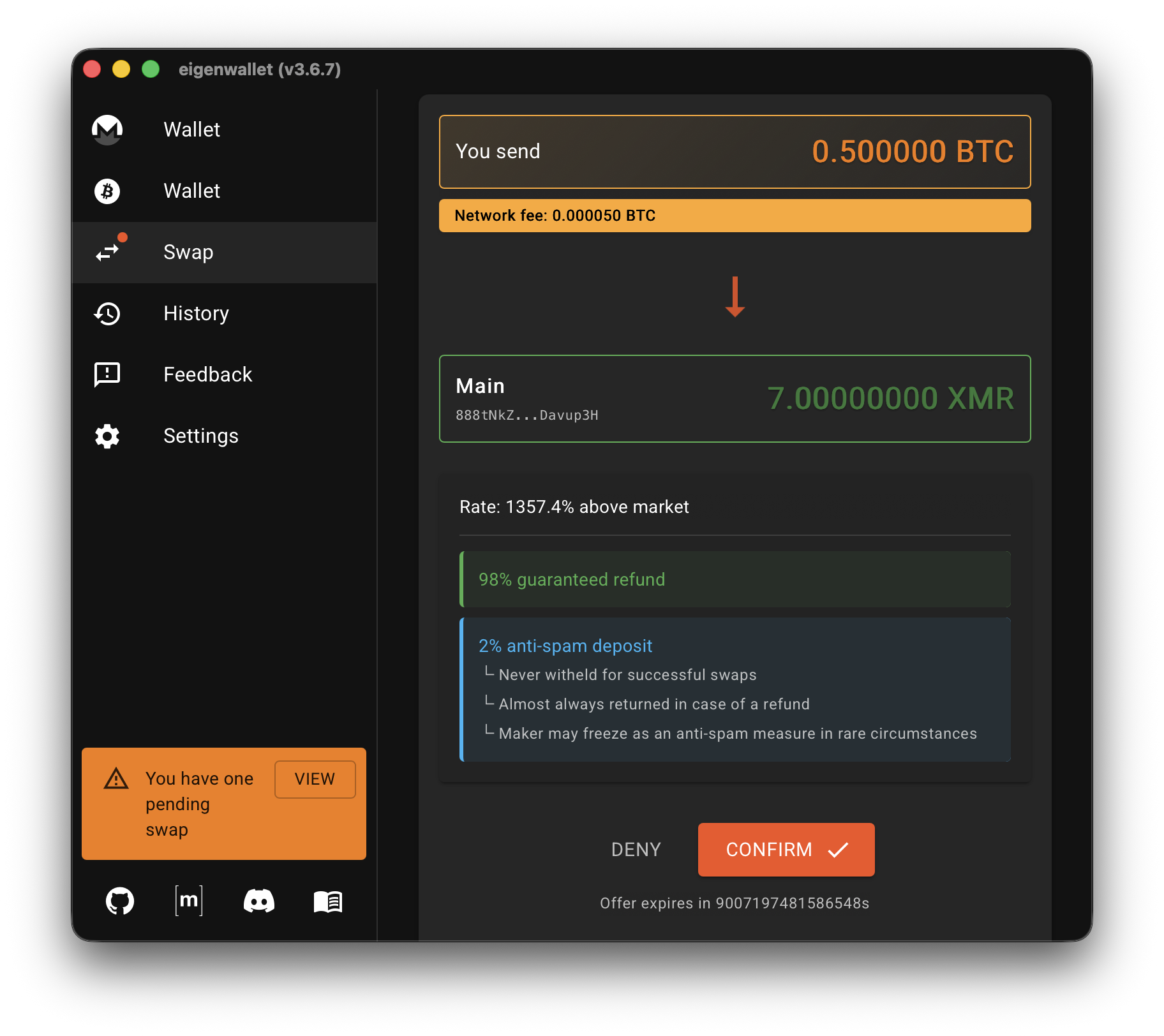
You now have a few minutes to confirm the swap. You can see the final conditions of the swap:
- Bitcoin amount you’ll send
- Monero amount you’ll receive
- the final exchange rate
- Bitcoin network fees (Monero’s are negligible)
- anti-spam lock ratio
Waiting for the swap to complete
After sending the Bitcoin, you’ll need to wait a moment for the Bitcoin to be locked. After the lock transaction has been confirmed, the other party will lock the Monero funds. In most cases, it will take around 10 minutes for the Bitcoin lock transaction to be confirmed and 2 minutes later the Monero lock transaction will be confirmed.
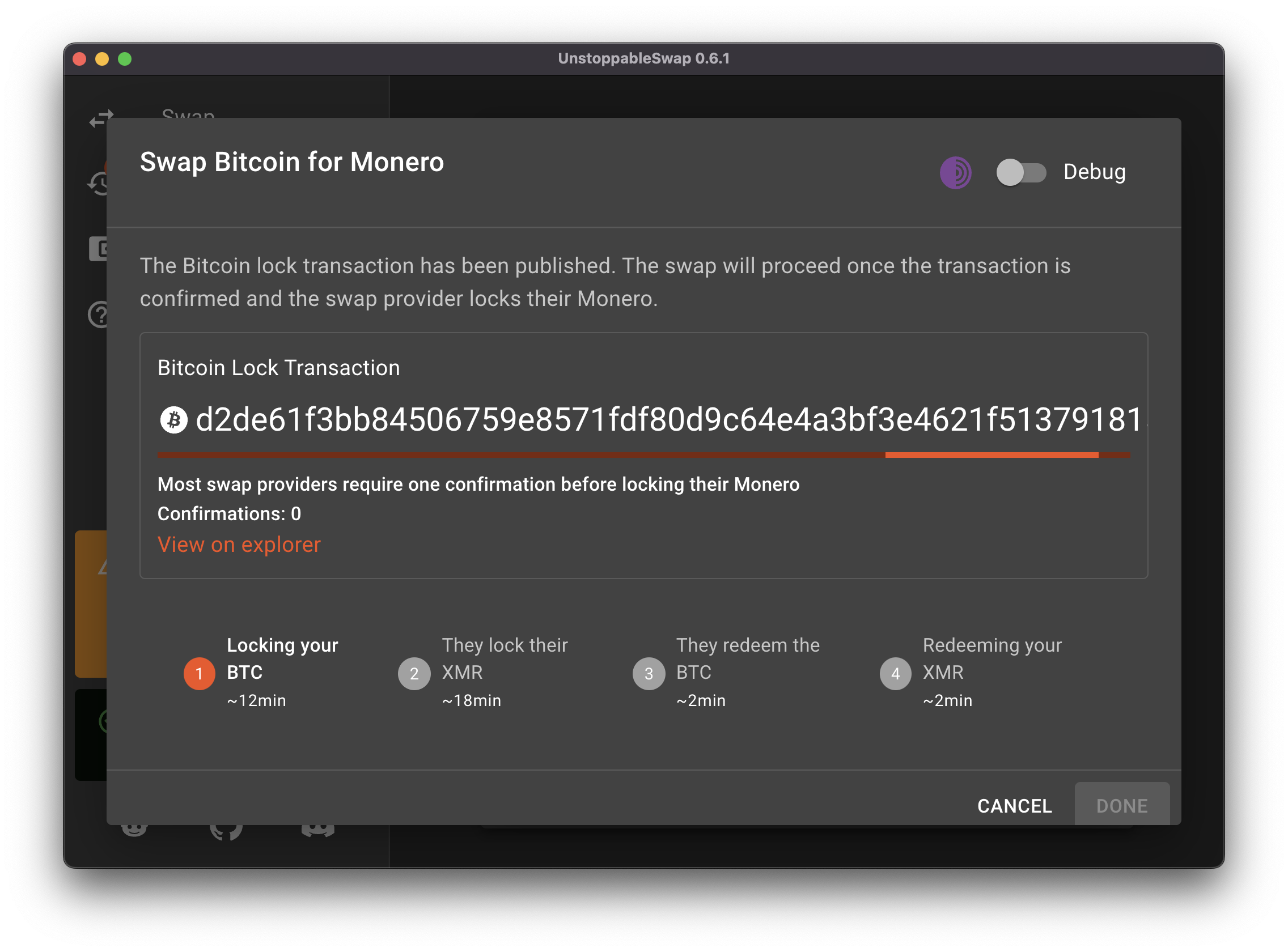
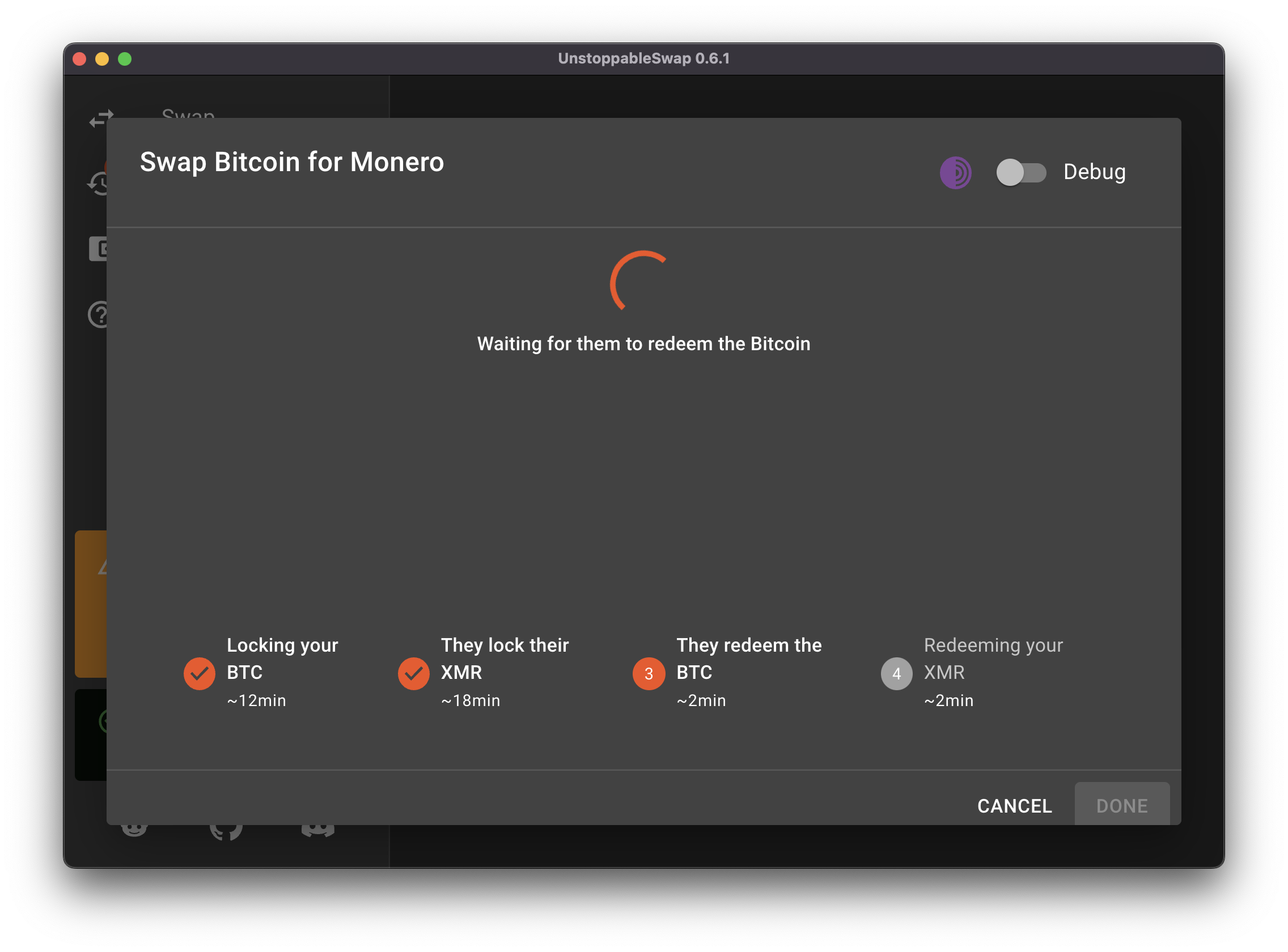
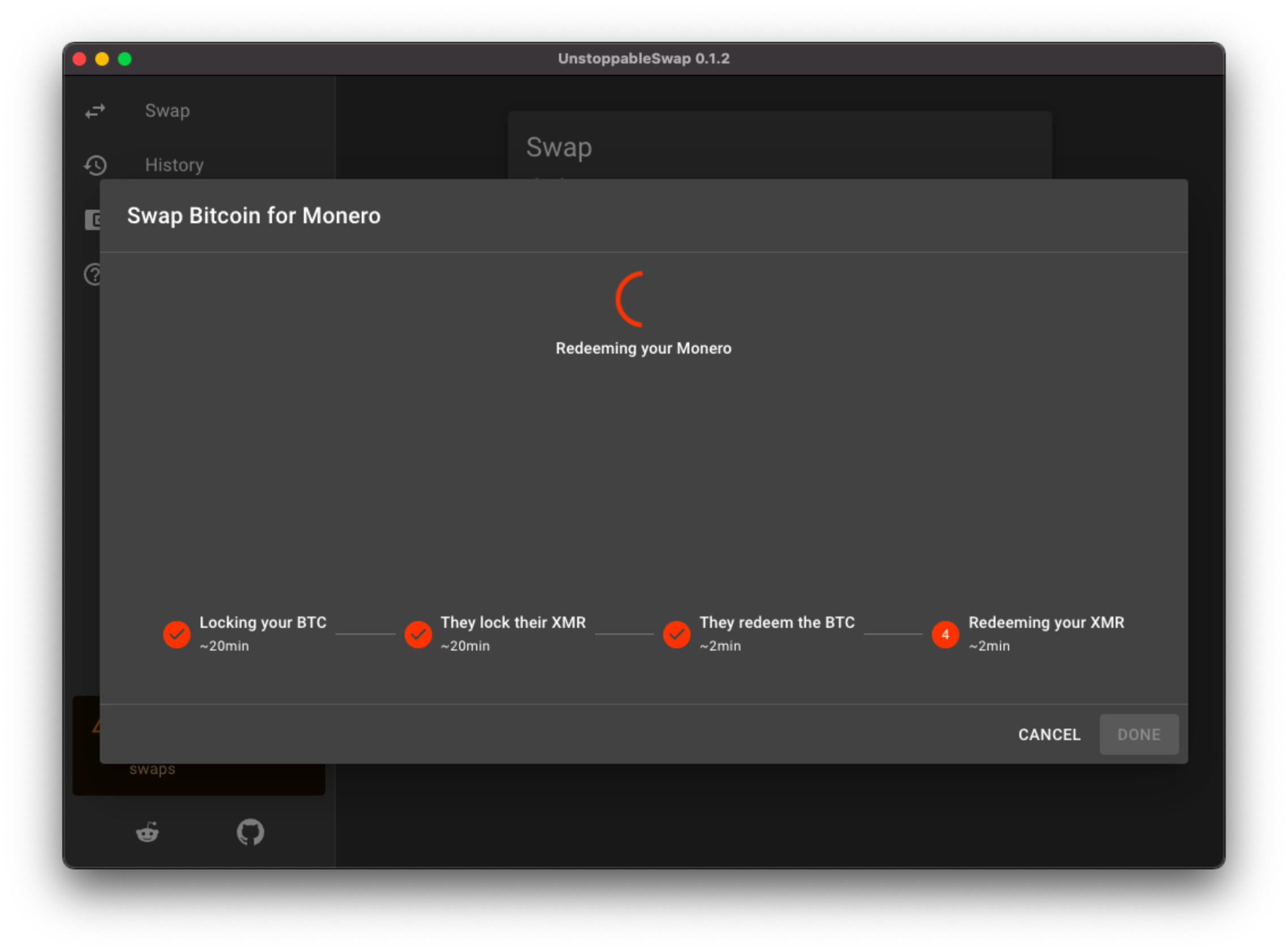
The swap will go through four stages:
-
Locking the Bitcoin: Your Bitcoin is locked in a 2-of-2 multisig address.
-
Maker locks the Monero: The other party locks their Monero as well.
-
Maker redeems Bitcoin: The other party redeems the Bitcoin.
-
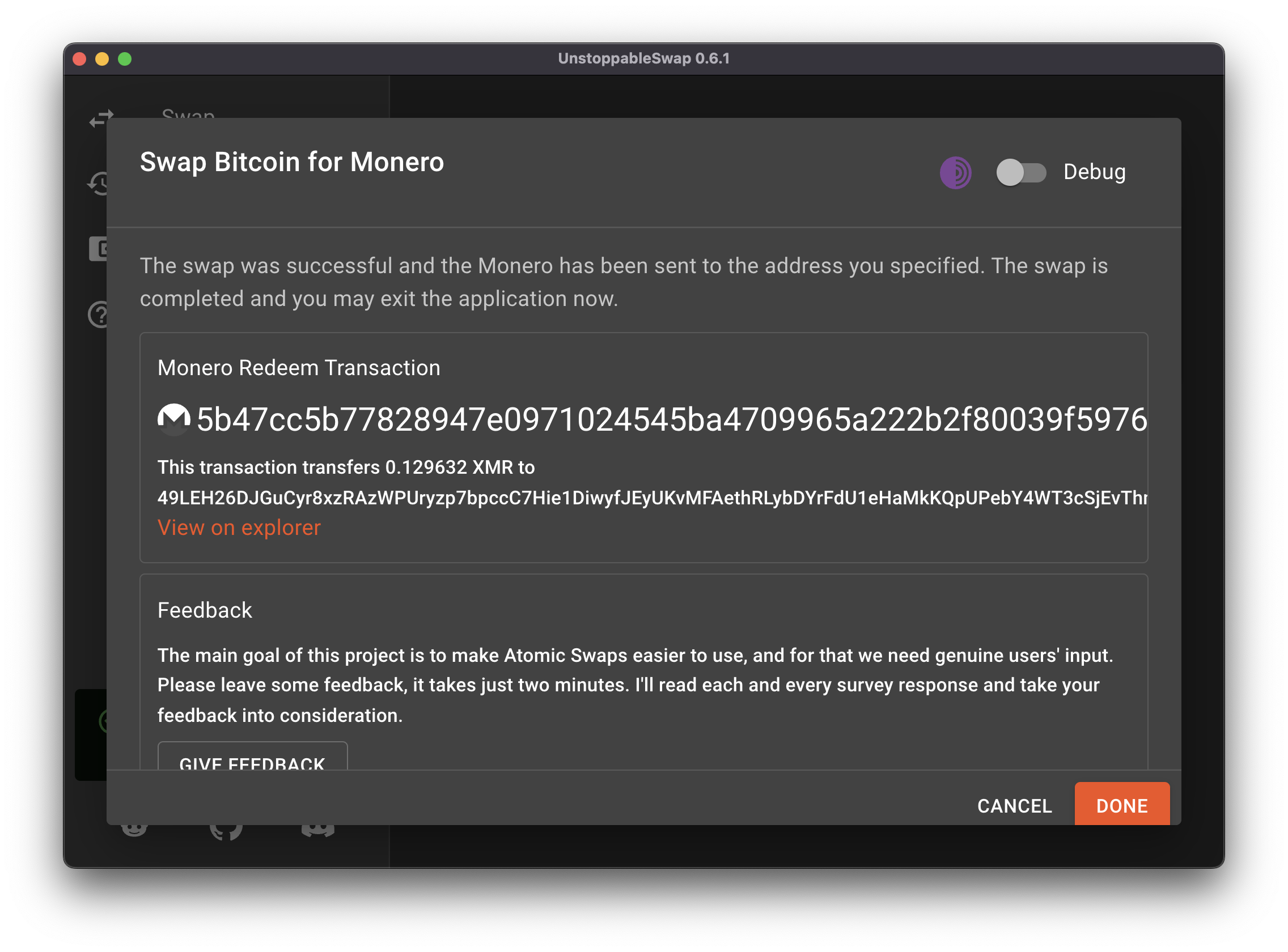
Redeeming the Monero: You redeem the Monero using a key that was revealed in step 3.
 |  |  |